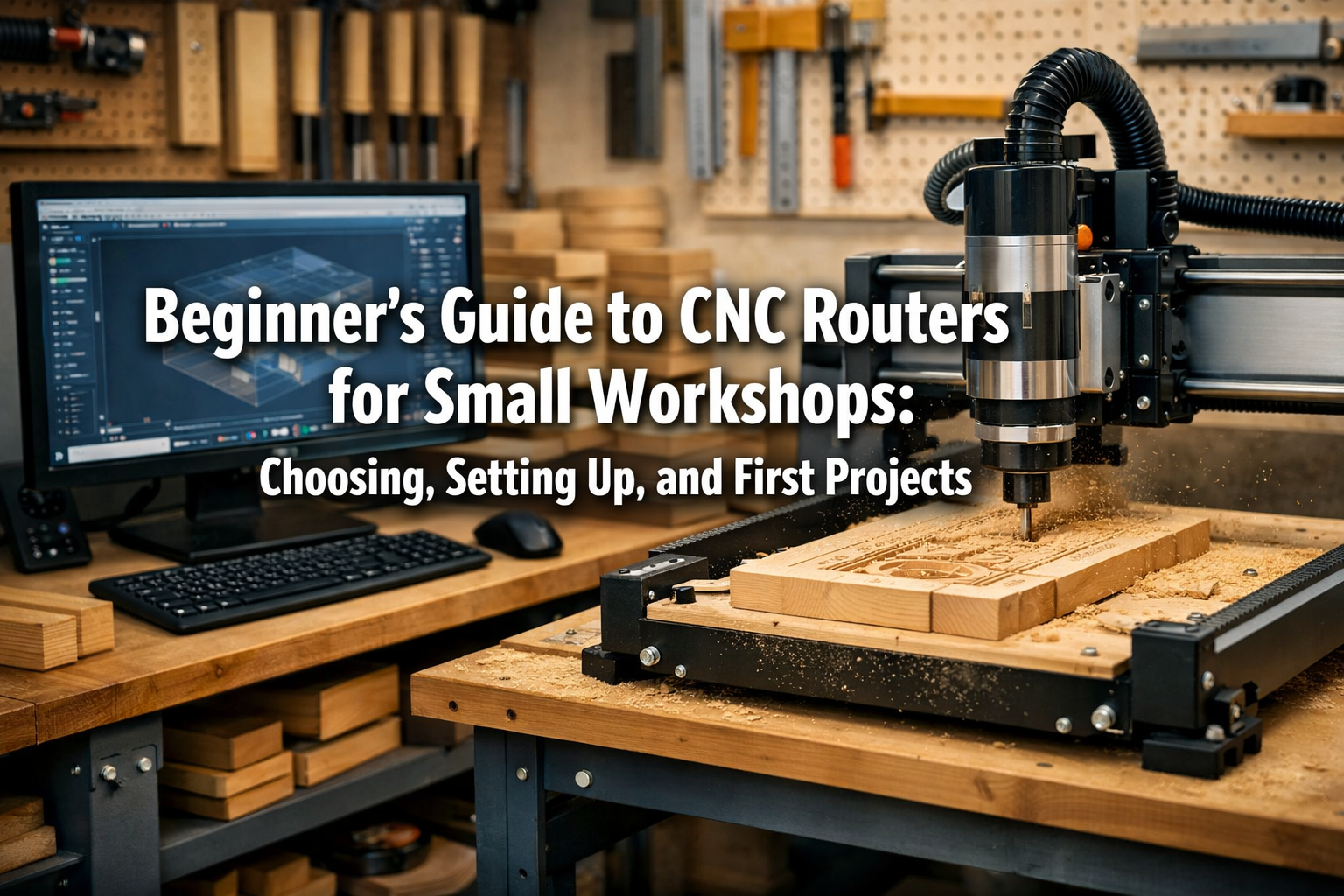

The digital age has revolutionized woodworking, offering hobbyists and small workshop owners unprecedented levels of precision and creative freedom. Among these advancements, CNC (Computer Numerical Control) routers stand out as game-changers. If you’ve ever felt limited by manual tools or dreamt of perfectly repeatable cuts and intricate designs, then a CNC router might be your next essential workshop addition. This Beginner’s Guide to CNC Routers for Small Workshops: Choosing, Setting Up, and First Projects aims to demystify this powerful technology, providing a practical roadmap for selecting an affordable machine, understanding essential software, and tackling simple projects to kickstart your journey with automated precision.
No longer exclusive to industrial settings, modern CNC routers are compact, user-friendly, and surprisingly accessible for small workshops in 2026. This guide will walk you through the entire process, from making an informed purchase decision to creating your very first successful CNC project.

Key Takeaways
- Assess Your Needs & Budget: Before buying, define your project goals, workspace size, and budget to choose a CNC router that aligns with your specific requirements.
- Understand Core Components: Familiarize yourself with the main parts of a CNC router, including the frame, spindle, stepper motors, and controller, to make an informed decision.
- Software is Crucial: Learn about CAD (Computer-Aided Design) for creating designs and CAM (Computer-Aided Manufacturing) for translating those designs into machine instructions.
- Prioritize Safety & Setup: Proper setup, calibration, and adherence to safety protocols are paramount for effective and safe CNC operation.
- Start Simple, Learn Gradually: Begin with straightforward projects to build confidence and incrementally expand your skills and project complexity.
Choosing the Right CNC Router for Your Small Workshop
Selecting the ideal CNC router is the foundational step. For a small workshop, factors like machine footprint, material compatibility, ease of use, and budget are paramount.
Types of Hobbyist CNC Routers
CNC routers typically fall into a few categories for the small workshop:
- Desktop CNC Routers: These are compact, affordable, and excellent for smaller projects. They often have smaller work areas but are perfect for engraving, PCB milling, and crafting small wooden items.
- Gantry-Style CNC Routers: More common for woodworking, these machines have a moving gantry that supports the spindle. They offer larger work areas, making them suitable for signs, furniture parts, and larger artistic pieces. They can range from entry-level kits to more robust, pre-assembled units.
- Open-Frame vs. Enclosed: Open-frame designs are more common and affordable but require careful dust management. Enclosed machines offer better dust and noise containment but come at a higher cost.
Key Considerations for Your Purchase
When evaluating models, keep these aspects in mind:
| Feature | Description | Impact on Small Workshops |
|---|---|---|
| Work Area (Bed Size) | The maximum dimensions of material the machine can process. Common sizes for hobbyists include 12″x12″, 24″x24″, or 24″x36″. | Directly impacts the size of projects you can undertake. Match to your typical project scale. |
| Spindle Power | Measured in watts or horsepower. Higher power allows for faster cutting and processing harder materials. | A more powerful spindle handles deeper cuts and tougher woods with less strain. |
| Frame Rigidity | A sturdy frame (aluminum, steel) reduces vibration, leading to more precise cuts and better surface finish. | Crucial for accuracy. Flimsy frames lead to chatter and poor quality. |
| Stepper Motors | Drive the axes. NEMA 17 or NEMA 23 are common. Larger NEMA numbers generally indicate more power and torque, impacting cutting speed and force. | Stronger motors provide better control and can handle higher cutting loads without losing steps. |
| Connectivity | USB, Ethernet, or SD card options. USB is common for desktop units, while Ethernet can offer more reliable connections for larger machines. | Ensure compatibility with your computer setup. |
| Software Compatibility | Confirm the machine works with common CAD/CAM software (e.g., Fusion 360, Carbide Create, VCarve). | Essential for design and toolpath generation. Vendor-specific software can be a pro or con. |
| Dust Collection | How easily can a dust shoe be attached? Efficient dust collection is vital for safety, machine longevity, and clear visibility. | Absolutely critical for a clean and safe workspace. Integrates with your existing dust collection system. |
| Noise Level | Consider if you’ll be operating in a shared space. Spindles and dust collectors can be noisy. | Important for home workshops to minimize disruption. |
| Community Support | A strong user community or active forums can be invaluable for troubleshooting and learning. | Provides help and inspiration from experienced users. |
{{IMG_SLOT_1}}
“Choosing the right CNC router is an investment in your workshop’s future. Prioritize machine rigidity and software compatibility to avoid common beginner frustrations.”
Budgeting for Your First CNC Router
Entry-level hobbyist CNC routers can start from around $500 for very basic desktop models, extending to $2,500 – $4,000 for more robust gantry-style machines suitable for serious woodworking. Remember to factor in additional costs:
- Software: While some machines include basic software, you might want to upgrade to more powerful CAD/CAM suites.
- Bits/End Mills: You’ll need a starter set of various cutting bits for different operations.
- Clamping Solutions: T-slot clamps, vises, or double-sided tape to secure your material.
- Dust Collection: A dedicated shop vac or a connection to your workshop’s central dust collection is essential.
- Safety Gear: Eye protection, ear protection, and dust masks are non-negotiable.
For a comprehensive approach to optimizing your workspace, consider our guide on DIY Smart Workshop Storage Solutions.
Setting Up Your CNC Router: Software and Safety
Once your CNC router arrives, the real fun (and learning) begins. Proper setup, software proficiency, and unwavering commitment to safety are crucial.
Assembling and Calibrating Your Machine
Most hobbyist CNC routers require some assembly. Follow the manufacturer’s instructions meticulously. Key setup steps include:
- Mechanical Assembly: Connect the frame, gantry, and lead screws/belt drives.
- Electrical Connections: Wire the stepper motors, limit switches, and spindle to the controller.
- Software Installation: Install the machine’s control software on your computer.
- Calibration: This is vital. It involves squaring the gantry, checking for tramming (spindle perpendicularity to the bed), and calibrating the steps per millimeter for each axis to ensure accurate movement.
- Workholding Setup: Prepare your wasteboard (a sacrificial surface) and establish a reliable workholding system. This could involve T-track clamps or a system using threaded inserts.
Understanding CNC Software
You’ll interact with two main types of software:
- CAD (Computer-Aided Design): This is where you create your design. Think of it as your digital drawing board. Popular options for beginners include:
- Carbide Create (Free): Simple, intuitive, often bundled with Carbide 3D machines.
- Inkscape (Free): Excellent for vector graphics and artistic designs.
- Fusion 360 (Free for hobbyists): A powerful 3D modeling software with integrated CAM, offering immense versatility.
- Vectric VCarve Desktop/Pro (Paid): Industry-standard, very user-friendly for 2D and 2.5D carving.
- CAM (Computer-Aided Manufacturing): This software takes your CAD design and generates toolpaths – the specific instructions (G-code) the CNC machine follows to cut the material. Many CAD programs, like Fusion 360, have integrated CAM. Separate CAM software is also available.
- CNC Control Software: This program runs on your computer and sends the G-code instructions to the CNC machine. Examples include Universal Gcode Sender (UGS), Candle, or manufacturer-specific software.
The workflow generally involves:
- Design in CAD: Create your artwork or part.
- Generate Toolpaths in CAM: Specify the bit size, cutting depth, speed (feed rate), and RPM (spindle speed).
- Send G-code to Machine: Load the G-code into the control software and execute the cut.
{{IMG_SLOT_2}}
Essential Safety Practices
Operating a CNC router involves moving machinery, sharp tools, and flying debris. Safety is paramount:
- Eye Protection: Always wear safety glasses.
- Hearing Protection: Spindles and dust collectors can be loud. Use earplugs or earmuffs.
- Dust Mask: Fine wood dust is a respiratory hazard. Wear an N95 or better respirator.
- Clear Workspace: Keep your work area tidy, free of clutter, and well-lit.
- No Loose Clothing or Jewelry: These can get caught in moving parts.
- Emergency Stop: Know the location and function of your machine’s emergency stop button.
- Proper Clamping: Ensure your material is securely clamped to prevent it from moving during a cut, which can damage the workpiece, bit, and machine.
- Ventilation: Good ventilation is crucial, especially when cutting plastics or composites that can release fumes.
Consider integrating smart workshop upgrades to enhance safety and precision, as detailed in our guide on DIY Smart Workshop Upgrades.

First Projects: Bringing Your Designs to Life with a Beginner’s Guide to CNC Routers for Small Workshops
Starting with simple, achievable projects is the best way to gain confidence and build your CNC skills. Don’t jump into complex 3D carvings immediately.
Simple Starter Projects
Here are some excellent first projects that require basic 2D and 2.5D carving techniques:
- Personalized Signs: Engrave names, quotes, or simple logos onto wood. This teaches you about text engraving, V-carving, and basic material setup.
- Coasters: Cut out circular or square coasters and engrave a simple design. This is great for learning profile cutting and pocketing.
- Keychains/Small Tags: Simple shapes with engraved details. Perfect for understanding how to secure small pieces and manage tool changes.
- Decorative Wall Art: Cut out simple silhouettes or engrave geometric patterns. This helps with understanding larger work areas and repeated designs.
- Jigs and Fixtures: Create custom jigs for your workshop! This demonstrates the practical application of precision manufacturing, like a fence for your router table or a drilling guide. This can significantly enhance your general power tool mastery.
Step-by-Step for a Basic Engraved Sign
Let’s outline the process for a simple wooden sign, a perfect project for any Beginner’s Guide to CNC Routers for Small Workshops:
- Design in CAD:
- Open your CAD software (e.g., Carbide Create, Fusion 360).
- Create a rectangle representing your sign’s dimensions (e.g., 8″ x 12″).
- Add text or a simple vector graphic within the rectangle. Choose a bold, clear font.
- Material Setup:
- Select a flat piece of wood (e.g., pine, plywood) of appropriate thickness.
- Securely clamp it to your CNC router’s wasteboard. Ensure it’s perfectly flat and won’t move.
- Measure the exact dimensions of your material.
- Generate Toolpaths in CAM:
- Define your material in the CAM software (dimensions, thickness).
- Zero the machine: Manually (or automatically if your machine supports it) tell the machine where the X, Y, and Z (top of material) origin points are.
- Select an appropriate bit (e.g., a 60-degree V-bit for engraving, a 1/8″ end mill for profile cuts).
- Create an “engraving” or “V-carve” toolpath for your text/design. Set cutting depth (start shallow!).
- Create a “profile cut” toolpath to cut out the perimeter of your sign, if desired.
- Simulate the toolpath to visualize the cut and check for errors.
- Generate the G-code.
- Run the Job:
- Load the G-code into your CNC control software.
- Double-check everything: Clamping, bit in the collet, zero points, safety glasses on.
- Start the job! Stay attentive to the machine, listen for unusual noises, and be ready to hit the emergency stop.
- Once finished, remove the sign, and sand off any fuzz or burrs. Apply a finish if desired.
{{IMG_SLOT_3}}
Tips for Success
- Start with soft woods: Pine, MDF, or plywood are forgiving and easy to cut.
- Use a wasteboard: Always cut into a sacrificial layer to protect your machine bed.
- Run air cuts: Before cutting actual material, run the G-code with the spindle off, slightly above the material, to ensure the toolpath is correct.
- Adjust feed and speed: These are critical. Start conservatively and increase them as you gain experience. Too fast can break bits; too slow can cause burning.
- Keep bits sharp: Dull bits lead to poor cuts and strain your machine.
- Practice good dust collection: Not only for health but also to keep cuts clean and visible.
- Don’t be afraid to make mistakes: They are part of the learning process!
Once you’ve mastered the basics, you can explore more intricate projects like creating custom wooden candle holders or even contributing to larger furniture pieces. For organizational aspects, our guide on DIY Modular Desk Organizers can also inspire CNC-made components.
Conclusion
Embracing a CNC router in your small workshop opens up a world of precision, repeatability, and intricate design possibilities. From custom signs and decorative art to accurate jigs and furniture components, the potential for creation is vast. By carefully considering your needs and budget, meticulously setting up your machine, understanding the software workflow, and prioritizing safety, you’ll be well on your way to mastering this exciting technology.
Remember, the journey of learning CNC is iterative. Start with simple projects, learn from each cut, and gradually challenge yourself with more complex designs. With patience and practice, your CNC router will become an invaluable asset, transforming your small workshop into a hub of automated craftsmanship in 2026.
Actionable Next Steps:
- Assess Your Needs: Jot down the types of projects you envision and the maximum size of materials you typically work with.
- Research Models: Based on your assessment, research 2-3 specific hobbyist CNC router models that fit your budget and requirements. Read reviews and watch setup videos.
- Download Free Software: Get started with free CAD/CAM software like Fusion 360 (hobbyist license) or Carbide Create to familiarize yourself with the interface and basic design principles before your machine arrives.
- Prioritize Safety Gear: Purchase essential safety equipment (glasses, ear protection, respirator) if you don’t already have them.
SEO Meta Title: Beginner’s Guide to CNC Routers for Small Workshops: Choosing, Setup & Projects SEO Meta Description: Master CNC routing for your small workshop in 2026. Learn to choose, set up, and create your first projects with our comprehensive beginner’s guide.