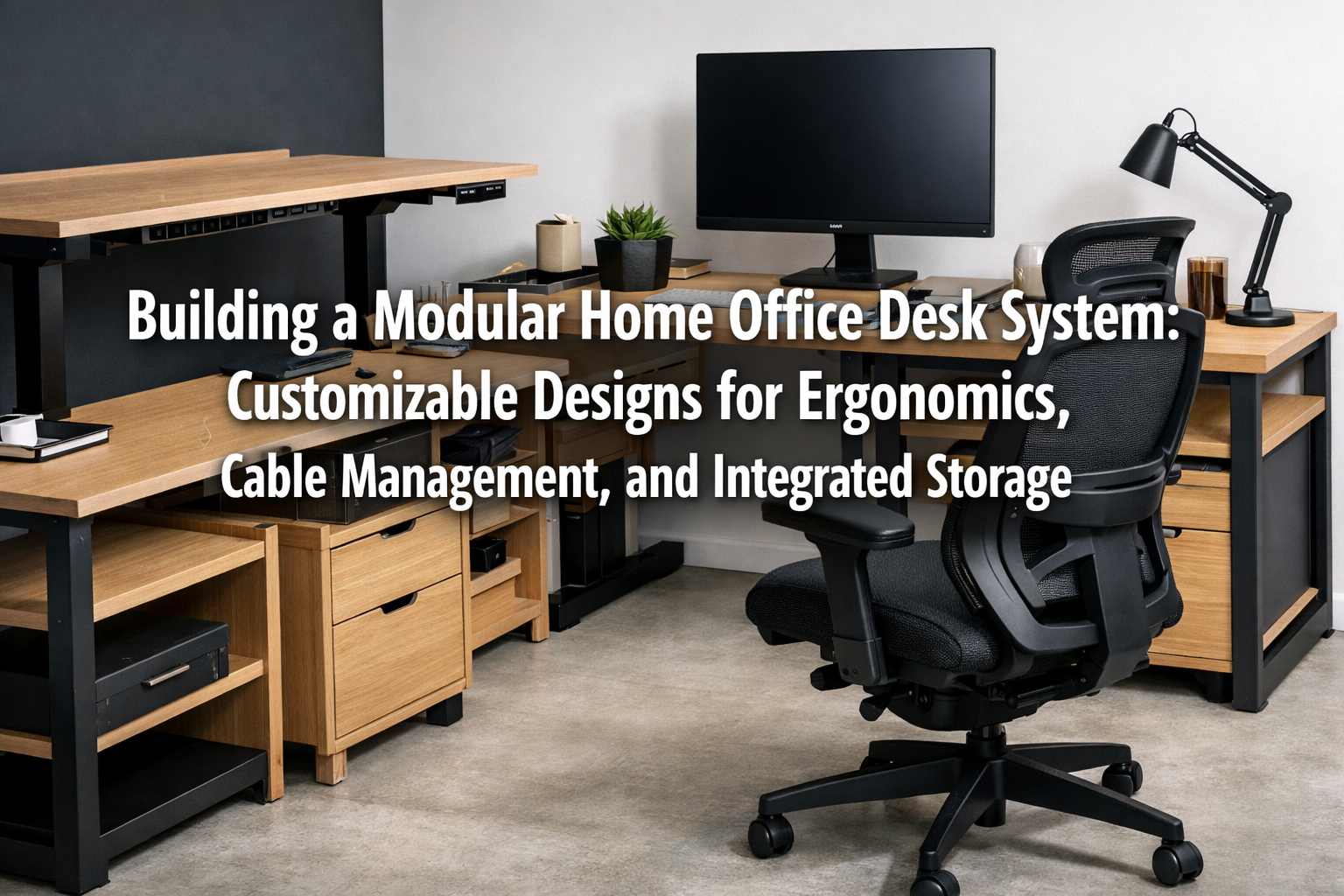

In today’s dynamic work environment, the home office has evolved from a temporary setup to a crucial, permanent workspace. A key element of a productive home office is a desk system that adapts to your unique workflow, promotes well-being, and keeps clutter at bay. This article will guide you through Building a Modular Home Office Desk System: Customizable Designs for Ergonomics, Cable Management, and Integrated Storage, providing insights into creating a workspace that is as efficient as it is comfortable and aesthetically pleasing. A well-designed modular system empowers you to construct a desk that truly fits your needs, transforming your daily work experience in 2026.
Key Takeaways
- Modular desk systems offer unparalleled customization to fit specific space requirements and workflow needs.
- Prioritizing ergonomics in design ensures comfort, reduces strain, and boosts productivity over long hours.
- Effective cable management is vital for a clean aesthetic and hassle-free operation of electronics.
- Integrated storage solutions keep your workspace organized and maximize usable desk surface.
- Careful planning of materials, components, and assembly methods is essential for a durable and functional system.
Designing for Flexibility: The Core of a Modular System
The beauty of a modular home office desk system lies in its inherent flexibility. Unlike traditional, fixed desks, modular components allow for a tailored approach, enabling you to select and arrange elements like desktop surfaces, leg styles, storage units, and accessory attachments. This adaptability is critical in 2026, as home office needs continue to diversify.

Understanding Modular Components
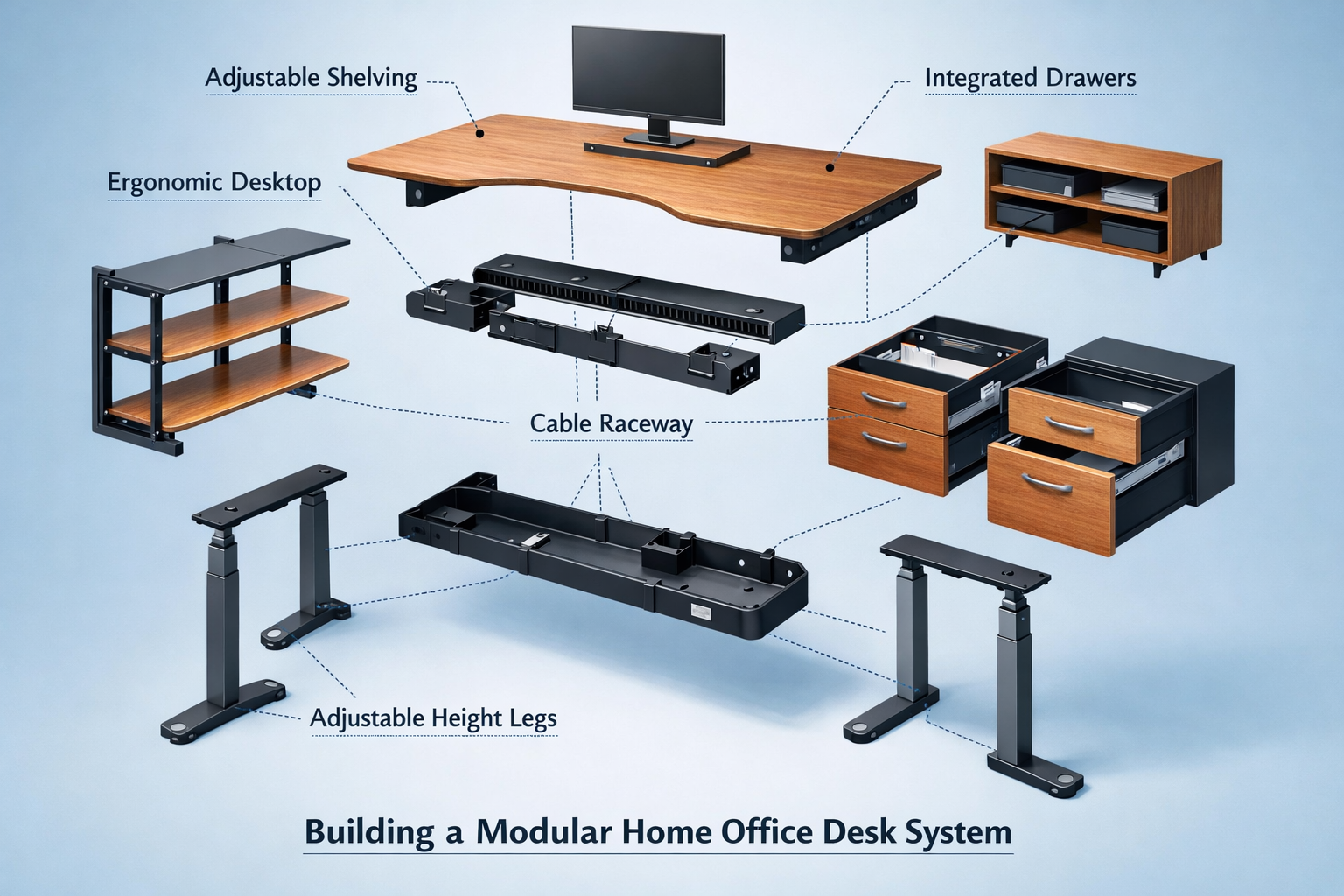
A truly modular system is built from interchangeable parts. Here’s a breakdown of common components:
- Desktop Surfaces: Available in various sizes, shapes (rectangular, L-shaped, U-shaped), and materials (solid wood, plywood, laminate, MDF). The choice of material impacts durability, appearance, and cost. For those interested in premium options, consider wood species selection for visible joinery to ensure your desk looks exceptional.
- Legs and Bases: Options include fixed-height legs, adjustable-height legs (manual or electric sit-stand), and cabinet bases that double as storage. Sit-stand desks are particularly beneficial for ergonomic health, allowing you to alternate between sitting and standing throughout the day.
- Storage Modules: These are the workhorses of organization. They can range from simple open shelves to drawer units, filing cabinets, and even dedicated printer or CPU enclosures.
- Accessory Attachments: This category includes monitor arms, keyboard trays, cable management trays, power outlets, and privacy panels, all designed to integrate seamlessly.
Planning Your Layout and Customization
Before acquiring components, meticulous planning is crucial. Consider the following:
- Space Assessment: Measure your available space meticulously. Account for doorways, windows, power outlets, and existing furniture. Use masking tape on the floor to visualize the desk footprint.
- Workflow Analysis: How do you work? Do you need multiple monitors? Space for sketching? Easy access to files? This will dictate the size and configuration of your desktop and storage.
- Ergonomic Needs: Identify your ideal sitting and standing heights. Factor in the placement of your monitor, keyboard, and mouse to ensure comfortable posture.
- Aesthetics: Choose materials and finishes that complement your home’s interior. Options range from modern minimalism, which can be achieved through warm minimalism in woodworking, to more rustic styles depending on your preference.
“A modular desk isn’t just furniture; it’s an adaptable ecosystem for productivity. Its ability to grow and change with your needs ensures it remains relevant for years, making it a sustainable investment for any home office in 2026.”
Building for Well-being: Ergonomics and Cable Management
Two critical aspects often overlooked in home office design are ergonomics and effective cable management. Integrating these from the initial design phase of Building a Modular Home Office Desk System: Customizable Designs for Ergonomics, Cable Management, and Integrated Storage will significantly enhance your comfort and productivity.
Embracing Ergonomics in Your Desk Design
Ergonomics focuses on designing and arranging workspaces to fit the user, promoting efficiency and preventing discomfort or injury.
| Ergonomic Principle | Modular Desk Application | Benefit |
|---|---|---|
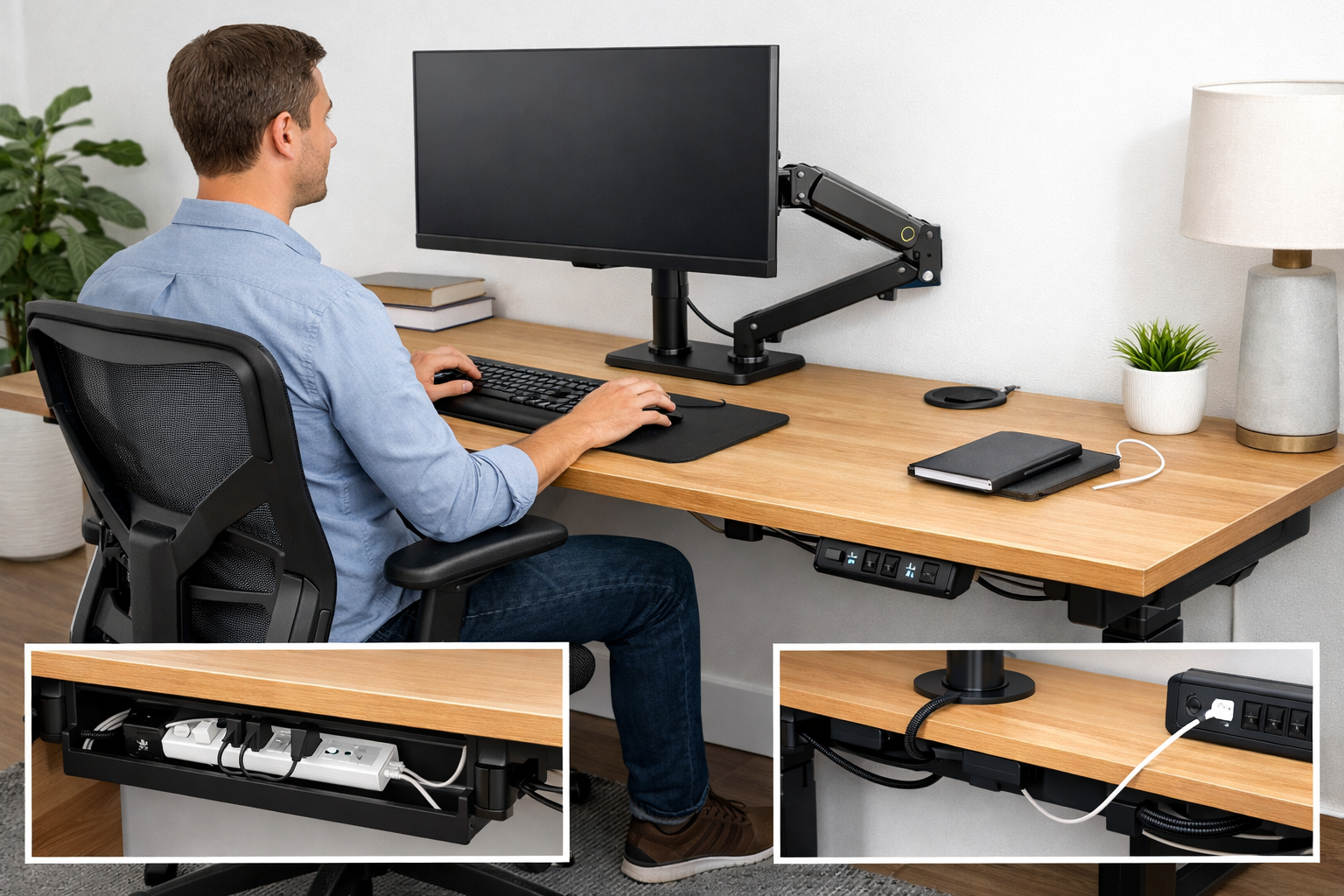
| Adjustable Height | Electric sit-stand desk legs, easily repositioned monitor arms | Reduces sedentary behavior, improves circulation, less back pain |
| Proper Monitor Placement | Monitor arms that allow for height, tilt, and swivel adjustment | Prevents neck and eye strain |
| Keyboard & Mouse Position | Integrated keyboard trays or sufficient desk depth for comfortable arm support | Reduces wrist strain and carpal tunnel syndrome risk |
| Adequate Legroom | Open desk designs, carefully placed storage units that don’t obstruct movement | Allows for comfortable leg and foot positioning, promoting circulation |
When selecting components, look for certifications or features that specifically mention ergonomic benefits. Remember that the best ergonomic setup is one that encourages movement and allows you to adjust your posture frequently.
Mastering Cable Management for a Clutter-Free Space
A tangled mess of cables can detract from even the most beautiful desk and pose safety hazards. Proactive cable management is a cornerstone of a well-designed modular home office.
- Integrated Cable Trays: Many modular desk systems come with under-desk trays or channels designed to hold power strips and excess cable slack.
- Grommets and Pass-throughs: Strategically placed holes with covers on the desktop allow cables to drop down discreetly to the underside of the desk.
- Cable Sleeves and Wraps: These bundle multiple cables together, making them easier to manage and less visually intrusive.
- Adhesive Clips and Ties: Useful for routing individual cables along desk legs or the underside of the desktop.
- Power Hubs and Charging Stations: Integrate these directly into a desk module or use a dedicated compartment to consolidate charging devices.
Think about your power needs. How many outlets do you require? Where are your existing wall outlets? Designing for these questions upfront will prevent unsightly extensions cords and adapters later. For larger projects that might require a dedicated workspace for woodworking, consider exploring the ultimate guide to wooden work tables for inspiration on robust design.
Integrating Storage Solutions for Maximum Efficiency
Integrated storage is not just about holding things; it’s about optimizing your workflow and maintaining a focused, serene workspace. When Building a Modular Home Office Desk System: Customizable Designs for Ergonomics, Cable Management, and Integrated Storage, smart storage is paramount.
Types of Integrated Storage Modules
Modular systems offer a variety of storage options that can be seamlessly incorporated into your desk design:
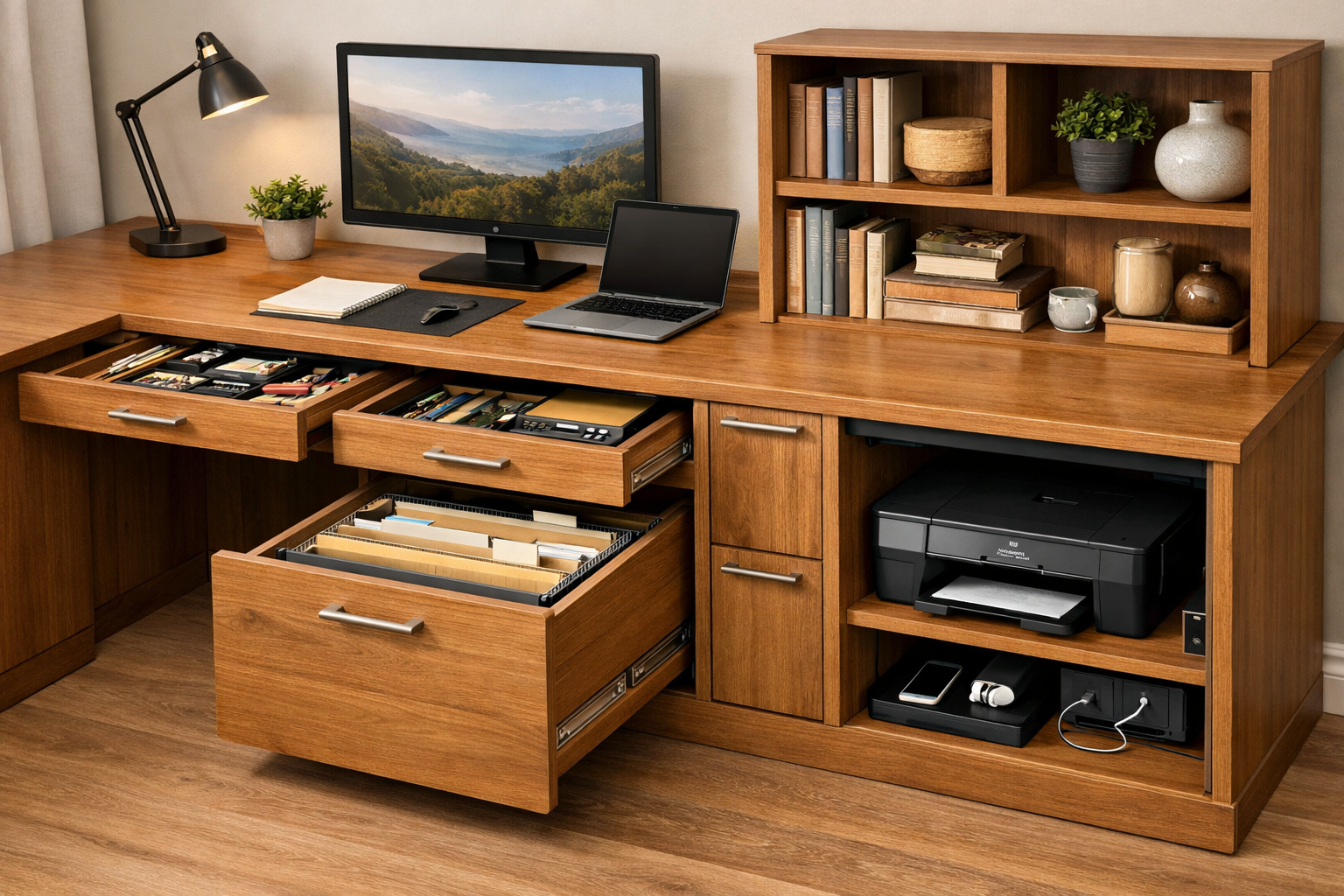
- Pedestal Drawers: Units that sit directly under the desk, often supporting one side of the desktop. They can include filing drawers, stationery drawers, or general storage.
- Overhead Shelving: Wall-mounted or desk-mounted shelves above the desktop for books, decor, and frequently accessed items. Ensure these are securely mounted, perhaps taking cues from custom floating shelves design and fabrication.
- Cubby Systems: Open compartments integrated into the desk structure for easy access to binders, documents, or small devices.
- Hidden Compartments: Cleverly designed spaces for less frequently used items, power strips, or even a small printer, keeping them out of sight.
- Vertical Organizers: Desk-mounted or integrated panels with slots, hooks, and pockets for small tools, pens, and notepads.
Optimizing Storage for Your Workflow
The key to effective integrated storage is to match it to your specific organizational needs.
- Categorize Items: Group similar items together. Files in filing drawers, pens in a pen tray, personal items in a lockable drawer.
- Accessibility: Place frequently used items within arm’s reach. Less common items can go into deeper drawers or higher shelves.
- Digital vs. Physical: Minimize physical paper storage by digitizing documents where possible. This can free up significant space.
- Aesthetic Integration: Choose storage units that match the material and finish of your desktop and legs for a cohesive look. For instance, if you are building a desk with a warm, natural wood finish, consider building robust knife blocks as a conceptual inspiration for small, integrated wooden organizers.
For those undertaking significant woodworking, remember that a well-organized workspace extends beyond the desk itself. Tools and materials also need efficient storage. You might find valuable insights in our article on mastering shelf woodworking for inspiration on building additional storage units.
Conclusion
Building a Modular Home Office Desk System: Customizable Designs for Ergonomics, Cable Management, and Integrated Storage is an investment in your productivity, comfort, and overall well-being. By thoughtfully selecting and assembling components that prioritize adjustability, smart cable routing, and integrated storage, you can create a personalized workspace that supports your work style and complements your home environment. In 2026, a truly effective home office is one that adapts to you, not the other way around. Take the time to plan, select high-quality materials, and build a desk system that will serve you efficiently for years to come.
Actionable Next Steps:
- Measure Your Space: Accurately assess your available area and identify existing constraints.
- Define Your Needs: List your ergonomic requirements, storage needs, and essential equipment.
- Research Components: Explore various modular desk systems and individual components that match your criteria.
- Sketch Your Design: Draw out potential layouts to visualize the final setup and component integration.
- Plan Your Build: If building yourself, create a materials list and a step-by-step assembly plan.
References
- Grandjean, É. (1988). Fitting the task to the man: A textbook of occupational ergonomics. CRC Press.
- Pheasant, S., & Haslegrave, C. M. (2016). Bodyspace: Anthropometry, ergonomics and the design of work. CRC press.