
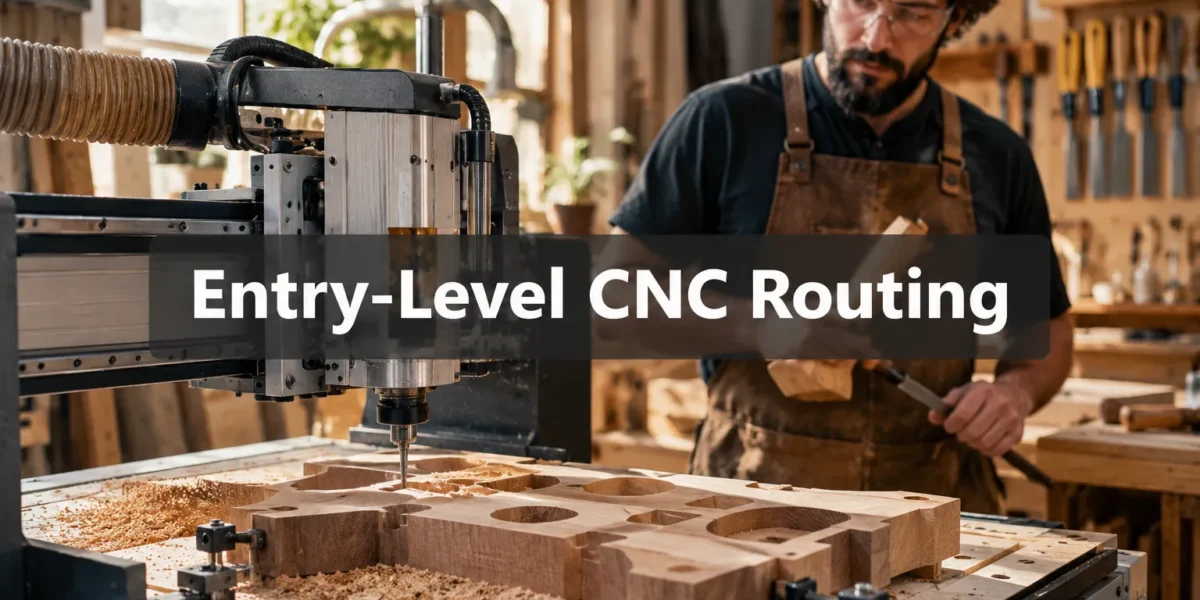
The average home woodworker often faces a dilemma: embrace the undeniable precision and repeatability of digital fabrication, or uphold the tactile satisfaction and intricate control of traditional hand tools. For those seeking to craft truly bespoke joinery at home, the most powerful solution lies not in choosing one over the other, but in a synergistic approach. This article explores how Entry-Level CNC Routing for Woodworkers: Hybrid Hand-Tool and Digital Workflows for Custom Joinery at Home can revolutionize your craft, allowing you to achieve complex, perfect-fitting joints that were once the exclusive domain of master artisans or industrial shops. By intelligently blending the brute force and unwavering accuracy of a CNC machine with the nuanced finesse and sensory feedback of hand tools, hobbyists can unlock new levels of creativity and craftsmanship without needing a massive budget or years of dedicated apprenticeship.
Key Takeaways
- Entry-level CNC routing combined with hand-tool skills offers unparalleled precision for custom joinery.
- Hybrid workflows allow CNC to handle repetitive, accurate cuts while hand tools refine details and achieve perfect fit.
- Affordable desktop CNC machines and intuitive software make digital fabrication accessible to home woodworkers.
- Mastering both digital design (CAD) and traditional hand skills enhances project complexity and personal craftsmanship.
- This approach is ideal for creating intricate, custom joinery, jigs, and fixtures that elevate woodworking projects.
The Synergy of Digital Precision and Hand Tool Finesse for Custom Joinery
The perception that CNC routing negates the value of hand-tool skills is a misconception that overlooks its true potential for the modern woodworker. Instead, an entry-level CNC machine, particularly for a home workshop, acts as a powerful extension of a woodworker’s capabilities. Imagine creating perfect mortises, tenons, dovetail pins, or intricate decorative inlays with machine-like accuracy, then seamlessly transitioning to hand tools for the final, custom fit, subtle chamfers, or delicate cleanup work. This hybrid approach is at the core of Entry-Level CNC Routing for Woodworkers: Hybrid Hand-Tool and Digital Workflows for Custom Joinery at Home.
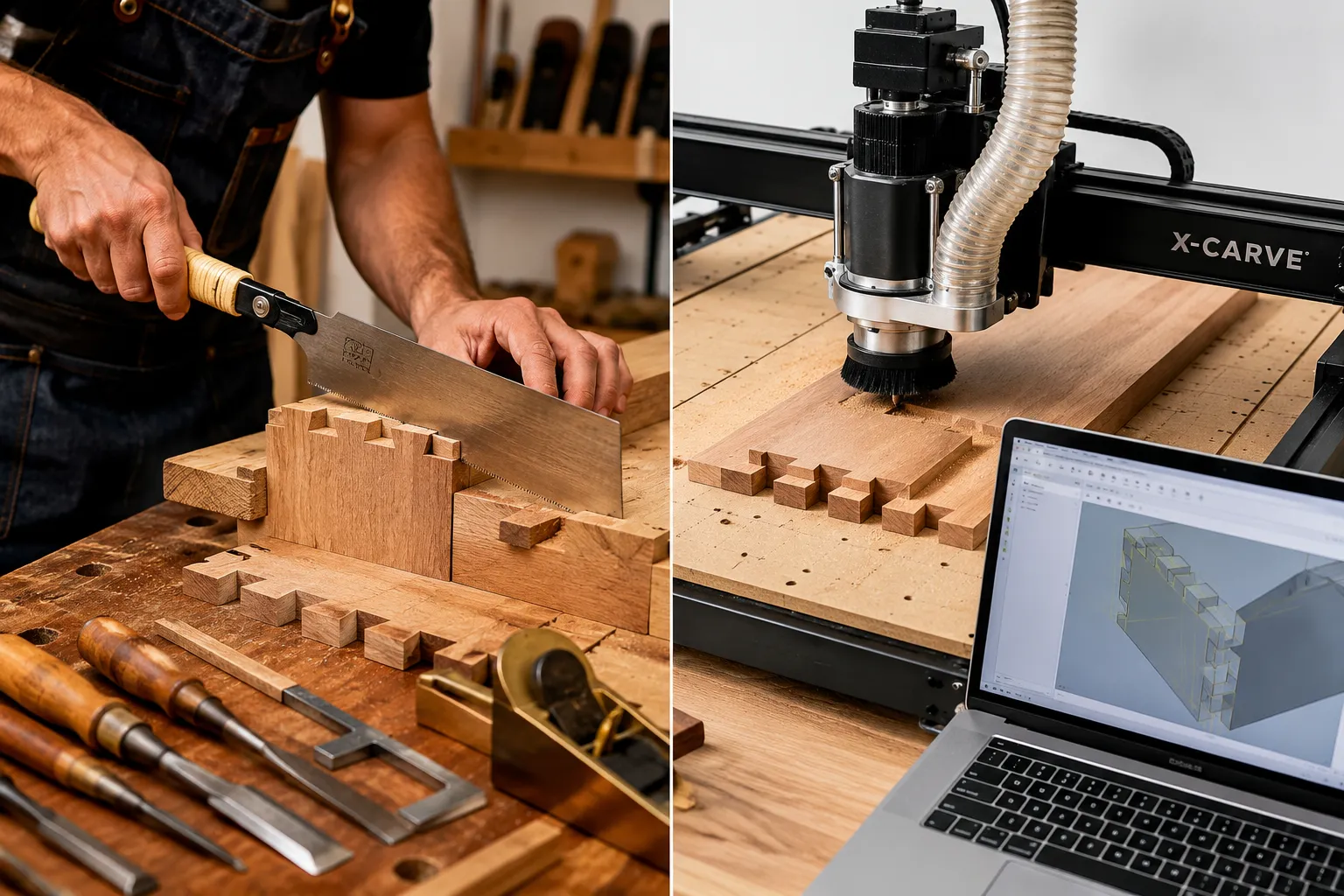
For instance, a CNC router can quickly and accurately mill the male and female components of a complex joint, such as a bridle joint or a series of through dovetails. While the machine handles the bulk of the material removal and ensures critical dimensions are met, the woodworker can then use chisels, planes, and marking gauges to pare to a perfect fit, adjust for wood movement, or add a slight taper that machines cannot replicate with the same nuanced touch. This blend significantly reduces the time spent on tedious, repetitive cuts, allowing more focus on the artistic and detailed aspects of woodworking. The result is often a superior joint: one with the underlying structural integrity of machine precision and the aesthetic beauty of skilled handcraft. The integration of CNC into your workflow also allows for the creation of intricate jigs and templates, further enhancing the precision of your hand tool work. Learning to master various wood joinery techniques is a fundamental step in achieving strong and beautiful furniture, and CNC can assist in this mastery.
This methodology also shines in crafting unique, custom elements that would be prohibitively time-consuming or difficult to achieve solely by hand. Consider creating intricate decorative elements on panels, custom lettering, or precise dadoes and rabbets for case construction. The CNC router excels at these tasks, providing consistent results across multiple pieces. Woodworkers can design these elements digitally, simulate the cuts, and then let the machine execute them flawlessly, freeing up their hands for the assembly and finishing stages. This makes projects like designing modular and stackable woodcraft or building custom entryway tables with hidden storage more accessible and precise.
Setting Up Your Entry-Level CNC Routing for Woodworkers: Machine and Software Essentials
Embarking on Entry-Level CNC Routing for Woodworkers: Hybrid Hand-Tool and Digital Workflows for Custom Joinery at Home requires a thoughtful selection of equipment and a foundational understanding of the digital workflow. The good news is that advancements in technology have made compact, affordable CNC machines and user-friendly software more accessible than ever for the home workshop in 2026.
Choosing an Entry-Level CNC Router
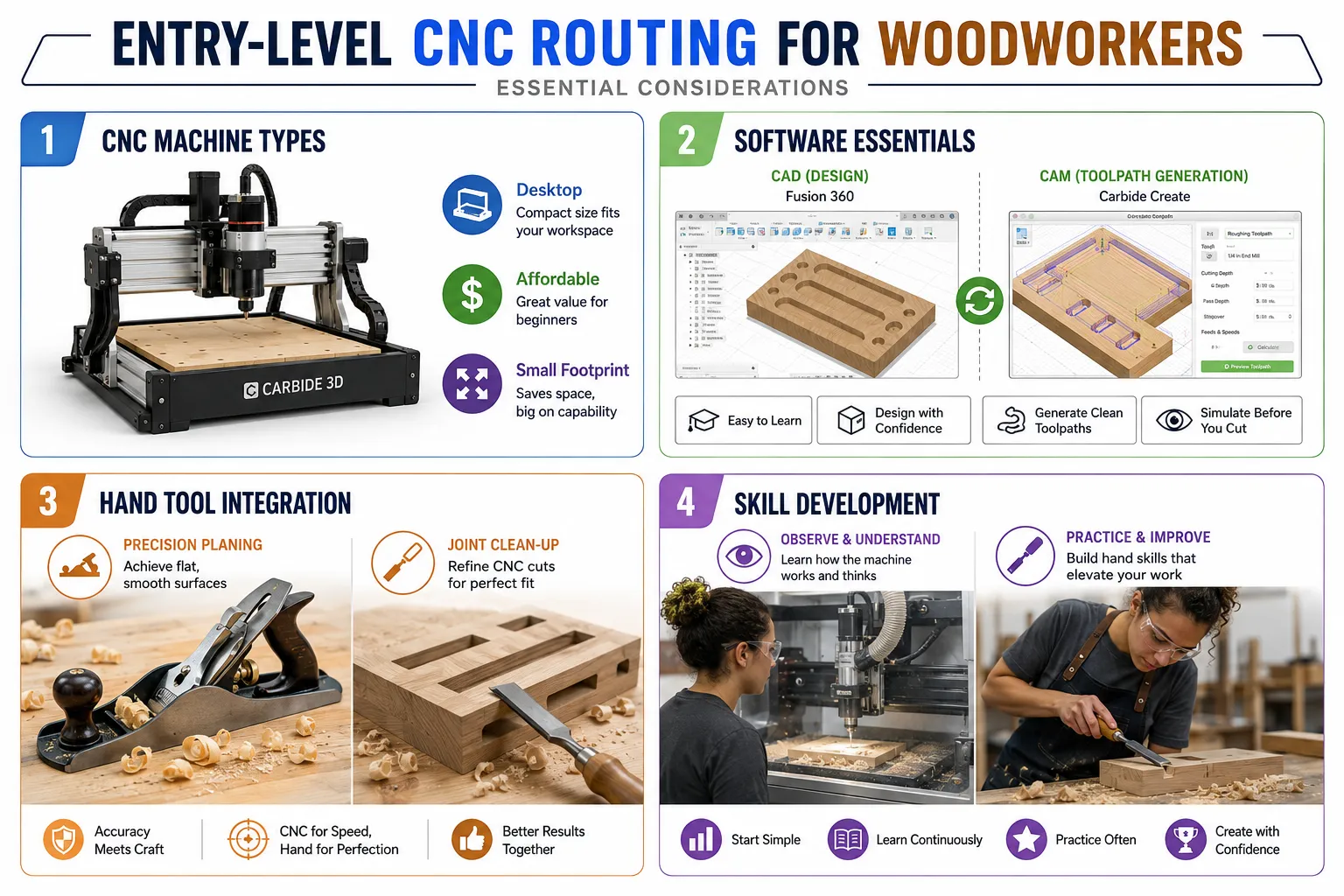
For home woodworkers, desktop or small format CNC routers are ideal. These machines typically offer a working area suitable for furniture components, small projects, and intricate joinery. Key considerations include:
- Work Area: Match the size of the projects you anticipate. Common sizes range from 12×12 inches to 24×36 inches.
- Spindle Power: A more powerful spindle handles harder woods and deeper cuts more efficiently. For an entry-level machine, a 300W to 1.5kW spindle is usually sufficient.
- Rigidity: A sturdy frame (aluminum or steel) minimizes deflection and improves cutting accuracy.
- Software Compatibility: Ensure the machine works with common CAD/CAM software.
| CNC Machine Type | Key Features | Best For | Considerations |
|---|---|---|---|
| Desktop CNC | Compact footprint, generally lower cost, good for small parts/joinery. | Small projects, intricate details, learning. | Limited work area, less powerful spindle. |
| Benchtop CNC | Larger work area than desktop, more robust construction. | Medium-sized projects, larger joinery, jigs. | Requires dedicated bench space, moderate cost. |
| Gantry-Style DIY Kits | Customizable size, often more affordable for larger formats. | Experimentation, budget-conscious, advanced users. | Requires assembly, calibration, and troubleshooting. |
When selecting an entry-level machine, look for a reputable brand with good community support and readily available replacement parts. Brands like Carbide 3D, Inventables, and Genmitsu offer popular options suitable for beginners.
Essential Software: CAD and CAM
The digital workflow revolves around two main software types:
- CAD (Computer-Aided Design): This is where you design your parts and joinery. You’ll create 2D sketches and 3D models of your components.
- Beginner-Friendly Options: Autodesk Fusion 360 (free for hobbyists), Easel (comes with Inventables machines), Vectric VCarve Desktop (paid, powerful).
- Focus: Creating precise geometry, ensuring components fit together, and visualizing the final product.
- CAM (Computer-Aided Manufacturing): This software takes your CAD design and translates it into toolpaths, the instructions that tell the CNC machine exactly where and how to cut.
- Beginner-Friendly Options: Carbide Create (for Carbide 3D machines), Easel, Fusion 360’s integrated CAM, Estlcam.
- Focus: Selecting cutter tools, setting cut depths, calculating feed rates, and generating G-code (the machine’s language).
A fundamental aspect of this hybrid workflow involves designing joinery that takes advantage of both machine precision and hand-tool cleanup. For example, you might design a mortise slightly undersized for the CNC to cut, knowing you’ll pare it to a perfect fit with a chisel. Similarly, when creating hand tool joinery, precision marking and layout are crucial, and the CNC can even aid in creating precise marking gauges or templates.
Crafting Custom Joinery: Integrating CNC and Hand Tool Workflows
The true power of Entry-Level CNC Routing for Woodworkers: Hybrid Hand-Tool and Digital Workflows for Custom Joinery at Home lies in the intelligent integration of these two distinct processes. This isn’t about replacing hand skills, but elevating them by offloading the mundane or hyper-precise tasks to the machine.
Designing for Hybrid Joinery
When designing custom joinery, think about which parts of the joint benefit most from CNC precision and which require the nuance of hand tools.
- CNC Strengths: Perfect repeatability, intricate curves, accurate depths, parallel sides for mortises/tenons, precise dadoes and rabbets. It excels at tasks where consistency is paramount, like creating multiple identical components for a dining table or entryway table.
- Hand Tool Strengths: Achieving perfect friction fit, paring to a scribe line, cutting shoulders for an invisible joint, adding subtle chamfers or reveals, working with irregular grain, adapting to slight material variations. Hand tools are essential for the final touch and the “feel” of a custom piece, as detailed in articles on mastering modern hand-cut joinery.
For example, when making a through mortise and tenon joint, the CNC can precisely cut the mortise and the tenon cheeks and shoulders. However, the exact width of the tenon might be left slightly oversized for a hand plane or chisel to bring it down to a perfect, snug fit, preventing gaps that compromise both strength and aesthetics. Similarly, for dovetails, a CNC can cut the pins or tails with incredible accuracy, leaving crisp, sharp edges for minimal clean-up with a chisel. This approach is superior for Hand Tool Joinery for Visible Wood Joints Dovetails Mortise And Tenon And Box Joints As Design Features In Furniture And Small Projects.
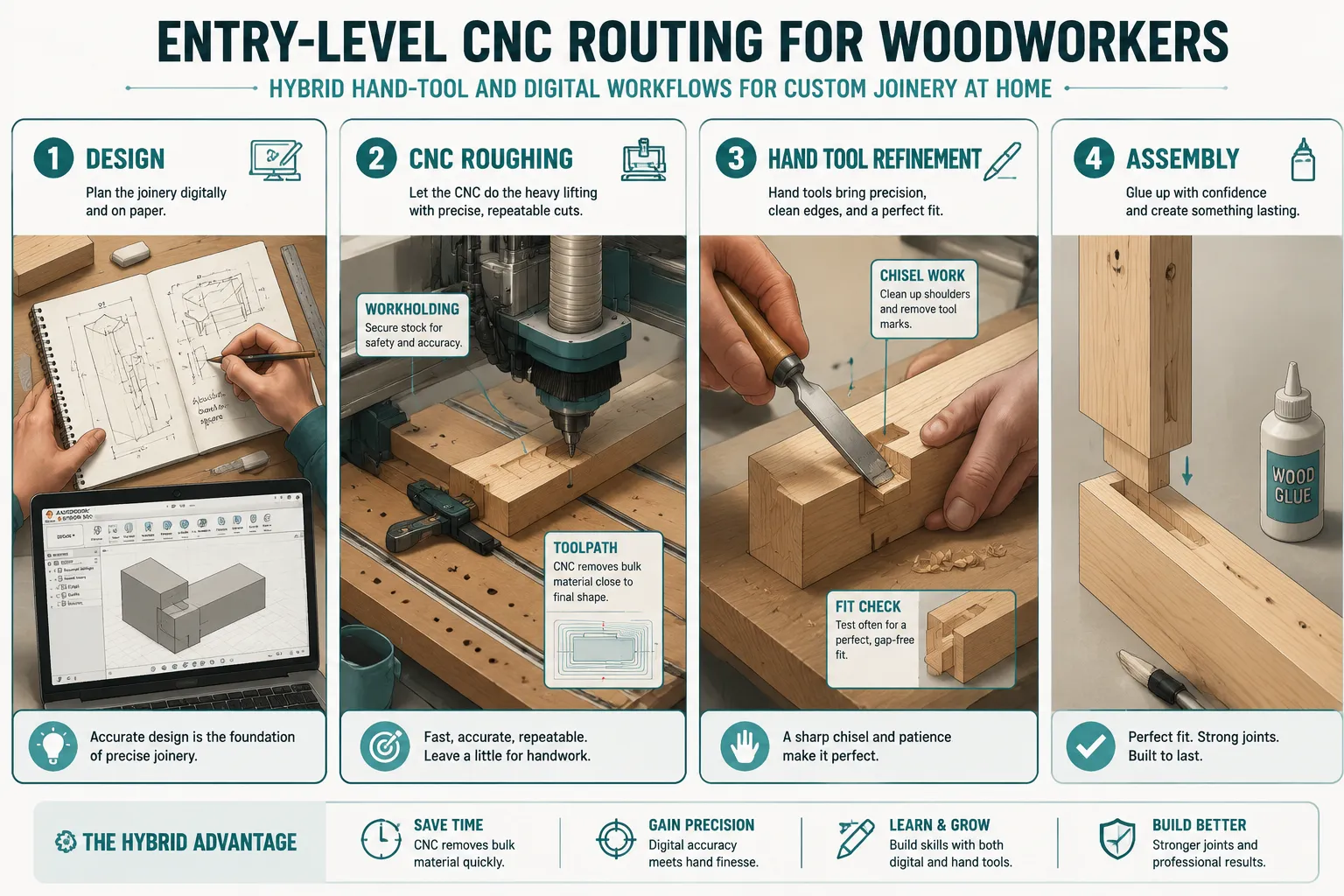
Workflow Example: Mortise and Tenon Joint
Let’s break down a practical application:
- Design (CAD): Model the mortise and tenon joint in your CAD software. Consider adding a slight radius to interior corners of the mortise to account for the round bit of the CNC router (a “dog bone” or “T-bone” relief cut), or design the tenon with slightly rounded corners. Alternatively, plan to square these corners by hand with a chisel.
- CNC Machining (CAM):
- Secure your workpiece firmly to the CNC spoil board.
- Generate toolpaths for the mortise, using an end mill (e.g., 1/4 inch diameter). Set appropriate cut depths and speeds.
- Cut the mortise.
- Generate toolpaths for the tenon on a separate piece, ensuring precise dimensions. Consider leaving the tenon cheeks slightly proud.
- Cut the tenon.
- Hand Tool Refinement:
- Mortise: Use a sharp chisel to square the corners of the mortise if your design requires it.
- Tenon: Using a Japanese hand saw and a shoulder plane, carefully pare the tenon cheeks until they achieve a perfect friction fit in the mortise. A properly sharpened chisel is critical for this work, emphasizing the importance of the essential guide to hand tool sharpening and maintenance.
- Fit Check: Test the fit frequently. The joint should slide together with moderate pressure but without needing excessive force or being loose.
- Assembly: Apply glue to the joint surfaces and clamp securely.
This hybrid approach allows woodworkers to create complex joinery, jigs, and fixtures with confidence, knowing the CNC has laid the precise foundation, leaving the satisfying fine-tuning and sensory craft to their hands. It’s a method that respects tradition while embracing modern capability, ultimately leading to higher quality, more intricate, and faster project completion for custom pieces like a custom round dining table with pedestal base.
Conclusion
The journey into Entry-Level CNC Routing for Woodworkers: Hybrid Hand-Tool and Digital Workflows for Custom Joinery at Home offers a compelling path for hobbyists looking to expand their capabilities and refine their craft. By strategically combining the unwavering precision of a desktop CNC router with the nuanced control and tactile satisfaction of traditional hand tools, woodworkers can achieve a level of accuracy, complexity, and aesthetic quality in their custom joinery that was previously difficult to attain. This hybrid methodology is not about replacing classic skills but about augmenting them, making intricate designs more accessible and reducing the tedious aspects of repetitive cuts.
As you consider integrating a CNC machine into your workshop in 2026, remember to prioritize understanding both CAD/CAM software and fundamental hand-tool techniques. Start with simple projects, experiment with the capabilities of your machine, and practice your hand-finishing skills. The blend of digital and analog opens up a world of possibilities, from perfectly cut dados for cabinets to intricate decorative elements and robust, beautiful joinery that stands the test of time. Embrace this powerful synergy, and watch your woodworking projects transform into true masterpieces of precision and craftsmanship.