
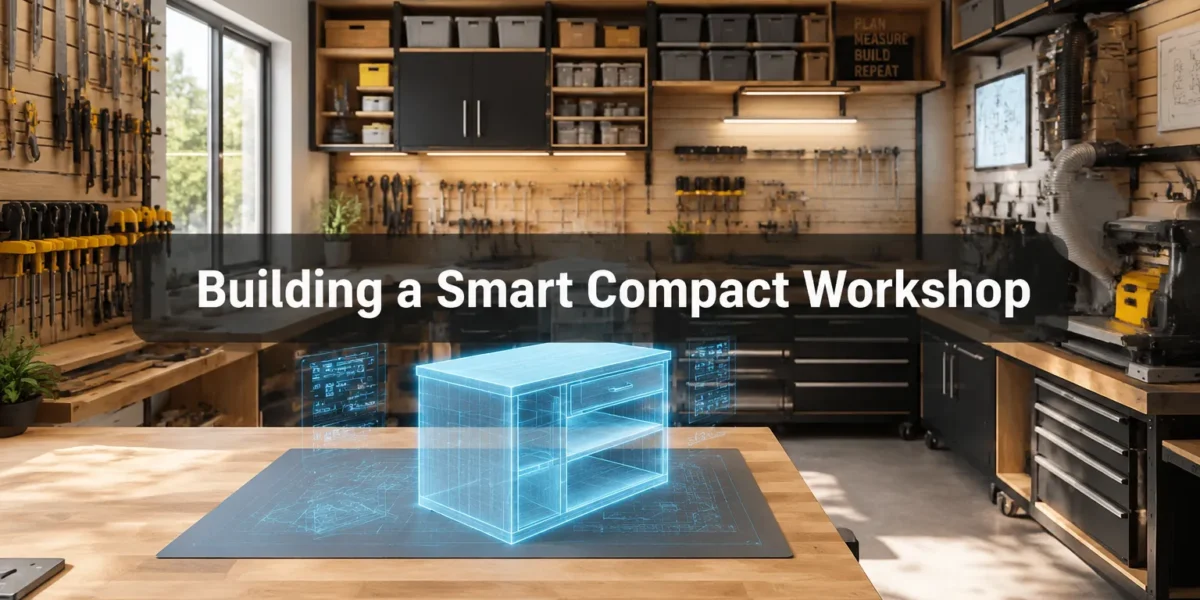
The average hobbyist workshop is shrinking. In 2026, with urban living spaces becoming more compact, the dream of a dedicated, sprawling woodworking shop often gives way to a corner of a garage, a basement nook, or even a spare room. Yet, the desire to create, innovate, and build remains strong. The solution lies in a paradigm shift: embracing technology to maximize every square inch. This article explores the exciting possibilities of Building a Smart Compact Workshop: Affordable Automation, Digital Layout Tools, and AR Project Planning for Small Spaces, transforming limitations into a hub of efficiency and precision.
Key Takeaways
- Affordable Automation: Integrate smart plugs, motion-sensing lights, and voice control for enhanced safety and efficiency without breaking the bank.
- Digital Layout Tools: Utilize 3D modeling software and online planners to optimize workshop ergonomics, workflow, and tool placement before physical changes.
- Augmented Reality (AR) Planning: Leverage AR apps for precise project visualization, measurement verification, and assembly guidance directly on your workbench.
- Space-Saving Solutions: Combine technology with smart storage, mobile work surfaces, and multi-functional tools to maximize every inch.
- Enhanced Safety and Precision: Smart workshop components contribute to a safer, more accurate, and enjoyable crafting experience in a confined area.
Affordable Automation for a Compact, Efficient Workshop
Even in a small footprint, smart technology can significantly boost a workshop’s functionality, safety, and energy efficiency. The key is to select affordable, modular components that integrate seamlessly and solve common workshop challenges.
Smart Plugs and Power Management
One of the simplest yet most effective automation tools is the smart plug. These devices allow you to control power to your tools remotely via a smartphone app or voice command. Imagine walking into your workshop and saying, “Alexa, turn on the dust collector,” or setting a timer for your air filter.
Here’s how they enhance a compact workshop:
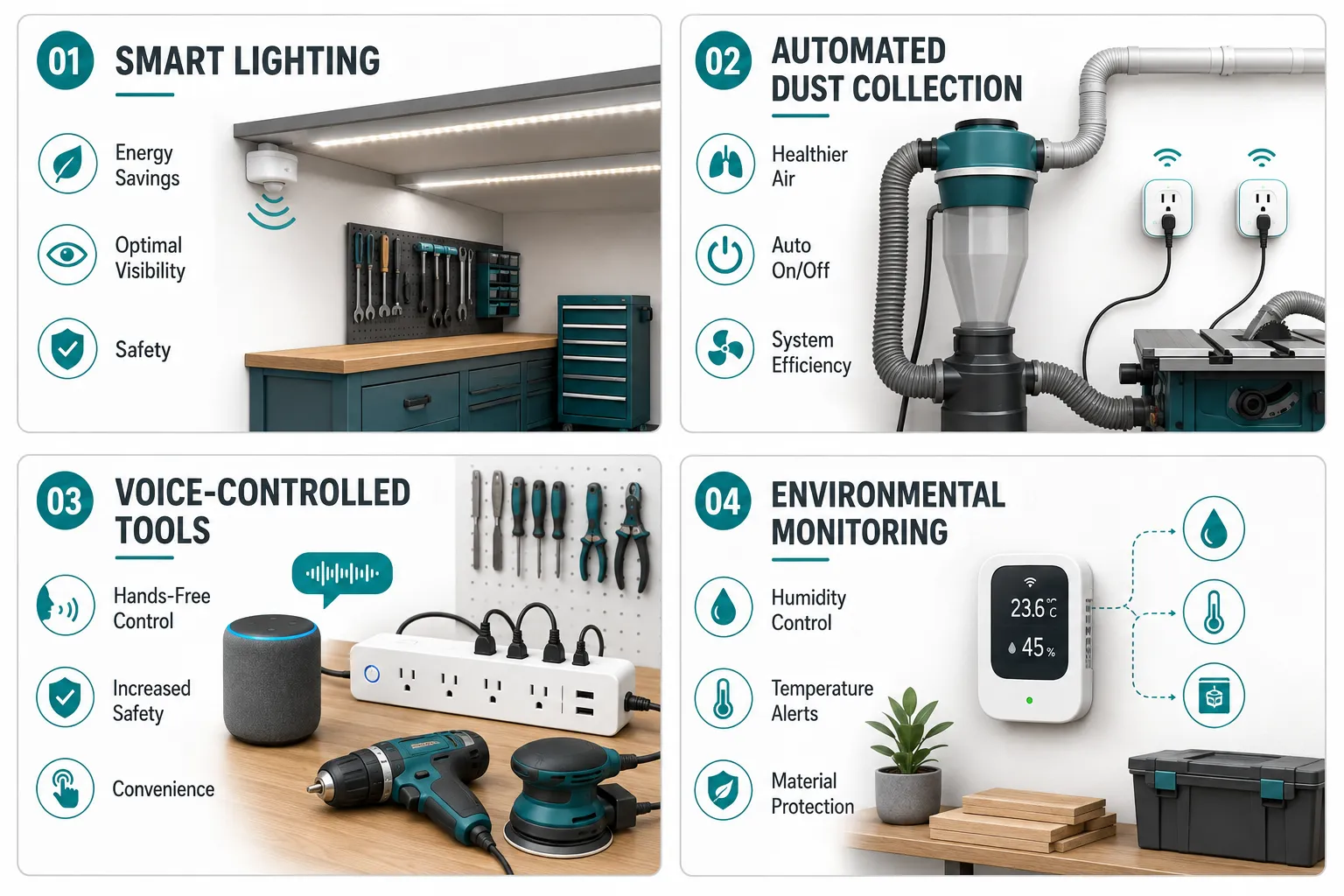
- Automated Dust Collection: Connect your dust collector to a smart plug. When you power on a tool (like a table saw or sander), a smart sensor (or another smart plug linked to the tool) can trigger the dust collector automatically. This ensures cleaner air and reduces manual intervention, especially when space is tight.
- Tool Sequencing: For operations requiring specific tool startup sequences (e.g., dust collector then saw), smart plugs can be grouped and automated.
- Safety Shut-off: Instantly kill power to all tools in an emergency or upon leaving the workshop, adding a layer of safety that’s invaluable in a confined space.
- Energy Monitoring: Many smart plugs offer energy usage tracking, helping you identify power-hungry tools and manage consumption effectively.
A prime example is integrating a smart plug with your dust collection system, ensuring that fine dust particles are removed promptly, a critical consideration in a small, enclosed environment. For more on shop setup, consider “Small Workshop Setup for Table Saw Projects: Using Saw Bench Tables”.
Smart Lighting and Environmental Controls
Visibility is paramount in any workshop, especially one where every cut needs to be precise. Smart lighting goes beyond basic illumination.
- Motion-Sensing Lights: Install LED strips with motion sensors in key areas like under shelves or above workbenches. This provides light only when needed, saving energy and ensuring bright, focused illumination as you move around.
- Adjustable Brightness and Color Temperature: Smart LED systems allow you to adjust the light intensity and warmth, optimizing visibility for different tasks, bright white for detailed work, warmer tones for finishing.
- Automated Environmental Monitoring: Smart sensors can monitor temperature, humidity, and even air quality. This is crucial for protecting wood stock from warping or cracking due to fluctuating conditions. For instance, a sensor could trigger a dehumidifier or a small fan automatically if humidity levels become too high.
“Affordable automation isn’t about replacing skill; it’s about augmenting it. It lets you focus on the craft, while the smart systems handle the mundane.”
Voice Control and Integrated Systems
Voice assistants (like Amazon Alexa or Google Assistant) can become the central nervous system of your smart compact workshop. By connecting your smart plugs, lighting, and even some tools to a central voice hub, you can control multiple aspects of your shop hands-free.
- Hands-Free Operation: When your hands are full or dirty, voice commands are invaluable for turning tools on/off, adjusting lights, or checking environmental readings. This improves workflow and safety.
- Custom Routines: Set up routines for different tasks. For example, a “start woodworking” routine could turn on specific lights, activate the dust collector, and power up your primary workbench.
- Safety Integration: A simple voice command can initiate an emergency power shutdown if linked to all smart plugs.
For enhancing your workshop environment further, consider how to integrate Diy Smart Workshop Lighting Integrating Led Strips And Motion Sensors For Optimal Visibility And Efficiency.
Digital Layout Tools for Optimal Space Utilization
The foundation of an efficient compact workshop lies in its layout. Digital layout tools allow you to plan, visualize, and optimize your space without moving a single tool physically.
3D Modeling and CAD Software
Gone are the days of pencil-and-paper sketches as the sole planning method. Modern 3D modeling and CAD (Computer-Aided Design) software offer powerful capabilities for workshop design.
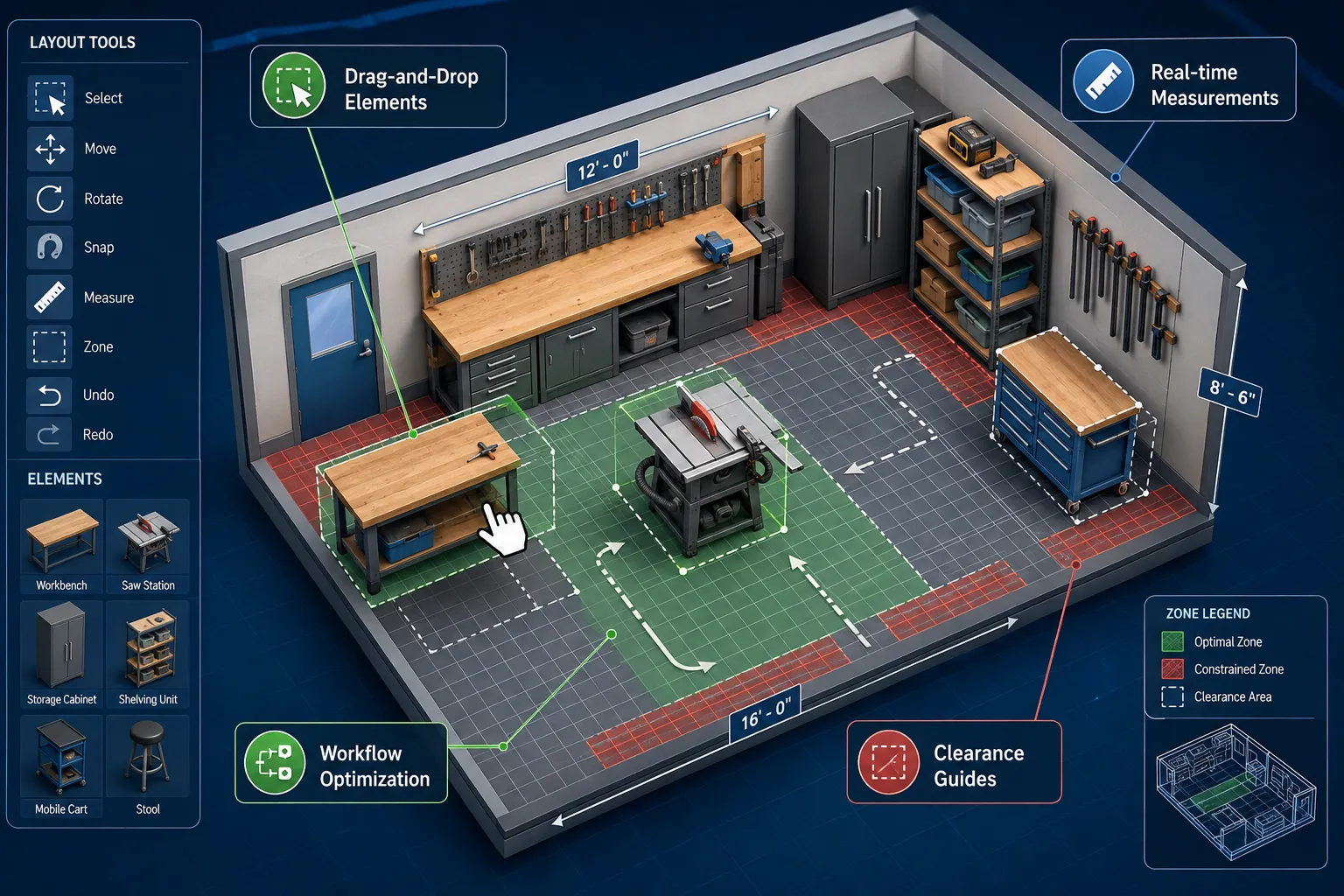
- Virtual Workshop Creation: Create a precise digital twin of your workshop, including walls, windows, doors, and any fixed obstructions.
- Tool and Equipment Placement: Accurately place virtual models of your tools (table saw, miter saw, workbench, storage units) within the digital space. Many software libraries offer pre-built models of common tools, or you can create your own.
- Clearance and Workflow Analysis: Visualize clearances around tools for safe operation and identify potential bottlenecks in your workflow. This is especially crucial for Creating Ergonomic Workshop Layouts Maximizing Space And Workflow In Small To Medium Sized Woodworking Shops.
- Optimizing Mobile Solutions: Experiment with the placement of mobile bases and portable tools to see how they can be moved and stored when not in use. This helps in “Building a Smart Compact Workshop: Affordable Automation, Digital Layout Tools, and AR Project Planning for Small Spaces” by ensuring dynamic space utilization.
- Custom Storage Design: Design custom cabinets, shelves, and tool organizers directly within your digital workshop, ensuring they fit perfectly and maximize vertical storage. For examples, see Diy Plywood Storage Solutions Maximizing Space And Organization In Small Workshops.
Popular software options range from free tools like SketchUp Free for basic layout to more advanced paid CAD programs for intricate designs.
Online Workshop Planners and Apps
Several online platforms and mobile apps are specifically designed for workshop layout, offering user-friendly interfaces often geared towards hobbyists.
| Feature | Description | Benefit for Compact Workshop |
|---|---|---|
| Drag-and-Drop Interface | Easily add and move tool representations, workbenches, and storage units. | Quick iteration, test multiple layouts in minutes. |
| Pre-loaded Tool Libraries | Access models of common woodworking tools with accurate dimensions. | No need to measure every tool; ensures precise scaling. |
| Collision Detection | Highlights when objects overlap or when insufficient clearance exists. | Prevents real-world mistakes, ensuring safe and functional spacing. |
| 2D and 3D Views | Toggle between overhead 2D plans and immersive 3D walkthroughs. | Comprehensive understanding of space, ideal for visualizing workflow. |
| Measurement Tools | Built-in rulers and dimension indicators for accurate planning. | Ensures everything fits within precise small-space constraints. |
These tools are invaluable for visualizing concepts like a Building A Compact And Ergonomic Workbench For Small Workshops Maximizing Space And Efficiency or planning the best spot for your Small Workshop Setup for Table Saw Projects: Using Saw Bench Tables.
AR Project Planning and Visualization
Augmented Reality (AR) is rapidly moving from novelty to a practical tool, especially for precision crafts like woodworking. For those committed to Building a Smart Compact Workshop: Affordable Automation, Digital Layout Tools, and AR Project Planning for Small Spaces, AR offers unprecedented visualization capabilities.
Visualizing Projects in Real-Time
AR applications, typically run on smartphones or tablets (and increasingly, dedicated AR glasses), allow you to overlay digital information onto the real world.
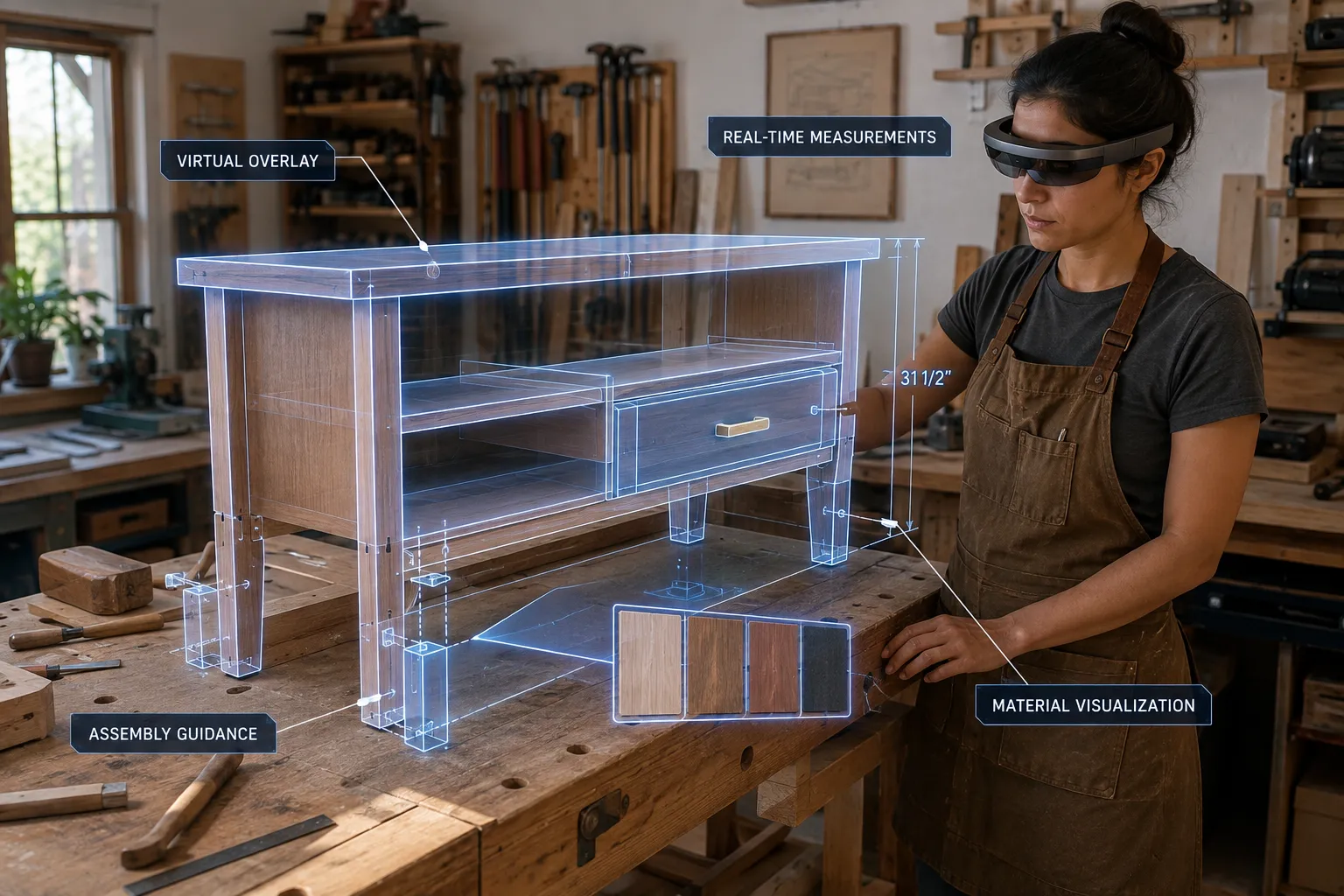
- Virtual Project Placement: Project a 3D model of your finished furniture piece or project directly onto your workshop floor, workbench, or even in the room where it will eventually reside. This helps assess scale, proportion, and fit before you cut any material.
- Material and Finish Preview: Experiment with different wood species, stains, and finishes virtually. See how a cherry desk would look versus an oak one, or how a dark stain changes the visual impact.
- Component Assembly Guidance: For complex assemblies, AR can overlay step-by-step instructions or animated assembly guides directly onto your physical workpiece. Imagine seeing where each joint fits or where screws need to be driven, overlaid with perfect accuracy.
Precision Measurement and Layout with AR
AR can enhance the accuracy of your measurements and layouts, minimizing errors common in small, cramped spaces.
- Virtual Rulers and Guides: Some AR apps provide virtual rulers, protractors, and squaring guides that can be projected onto your material. This can assist in marking cut lines, drilling points, or aligning components with greater precision.
- Real-time Dimension Verification: Compare the actual dimensions of a workpiece against its digital design in real-time. This is particularly useful for checking if cuts are accurate or if a component will fit as planned.
- Layout Projections: For intricate inlays or complex patterns, AR can project the design directly onto your wood, serving as a precise guide for cutting, carving, or routing. This dramatically reduces the need for physical templates and ensures perfect alignment.
Accessibility and Affordability of AR Tools
While dedicated AR headsets are still emerging, many powerful AR capabilities are available through everyday devices.
- Smartphone and Tablet Apps: Numerous apps leverage your device’s camera and sensors to offer AR features for home design, measurement, and even gaming. Look for apps specifically designed for architects, interior designers, or DIY enthusiasts that can be adapted for woodworking.
- Affordable AR Glasses (Emerging): The market for consumer-grade AR glasses is expanding. As these become more prevalent and affordable, they will offer an even more immersive and hands-free AR experience for workshop planning and execution.
- Integration with Digital Designs: The 3D models you create in CAD software for your workshop layout or project designs can often be imported into AR apps, providing a seamless workflow from digital design to augmented reality visualization. This synergy is key for “Building a Smart Compact Workshop: Affordable Automation, Digital Layout Tools, and AR Project Planning for Small Spaces.”
Strategic Space-Saving and Organization
While technology offers significant advantages, traditional space-saving strategies remain vital in a smart compact workshop. Integrating these with your smart solutions creates a truly optimized environment.
Vertical Storage and Wall-Mounted Solutions
Every available wall surface is prime real estate in a small shop.
- Pegboards and French Cleats: These versatile systems allow tools and accessories to be hung neatly and customized as your needs evolve. Combine them with smart sensors to track tool presence or provide visual alerts if a tool is left out.
- Wall-Mounted Cabinets and Shelving: Utilize overhead space for less frequently used items or materials. Ensure they are securely mounted and easily accessible. Building Ergonomic Workshop Storage Solutions Custom Cabinets And Organizers For Health And Efficiency can provide ideas.
- Magnetic Tool Holders: Excellent for keeping frequently used hand tools within easy reach, freeing up drawer or bench space. Refer to Crafting Custom Magnetic Tool Holders And Organizers Maximizing Vertical Storage In A Small Workshop for inspiration.
Mobile and Multi-Functional Work Surfaces
Flexibility is crucial in a compact workshop.
- Workbenches on Casters: A workbench that can be easily moved allows you to reconfigure your space for different tasks, or tuck it away when not in use. Some smart workshops might even incorporate automated positioning systems (though less common for affordability).
- Folding and Collapsible Tables: Provide extra work or assembly space only when needed. Diy Folding Work Table How To Build A Space Saving Workshop Or Craft Table That Stores Flat offers a practical solution.
- Tool Carts and Stations: Dedicate mobile carts to specific tools (e.g., miter saw station, router table) that can be rolled into position and then stored out of the way. Building a Building A Portable Miter Saw Stand With Integrated Dust Collection And Outfeed Support is a great project.
Smart Storage for Materials and Consumables
Even raw materials and consumables can benefit from a smart approach.
- Categorized Bins and Drawers: Use clear, labeled bins for fasteners, sandpaper, and other small items.
- Inventory Management Systems: For serious makers, simple digital inventory apps can track material stock, ensuring you never run out unexpectedly. This helps plan projects more effectively, particularly when resources are stored in less accessible areas.
- Plywood and Sheet Goods Storage: Design vertical racks or rolling carts for sheet goods, keeping them organized and off the floor, enhancing safety and accessibility in your smart compact workshop.
Conclusion
Building a Smart Compact Workshop: Affordable Automation, Digital Layout Tools, and AR Project Planning for Small Spaces is not just a trend for 2026; it’s a strategic approach to woodworking in an increasingly space-constrained world. By thoughtfully integrating smart plugs, voice controls, intelligent lighting, 3D layout software, and augmented reality, woodworkers can create a highly efficient, safe, and productive environment, regardless of its physical size. These technologies empower makers to overcome spatial limitations, enhance precision, and elevate their craft to new levels.
Start by identifying the biggest bottlenecks or inefficiencies in your current small space. Could automated dust collection free up mental energy? Would a digital layout help you finally fit that new tool? Or could AR visualization prevent costly material mistakes? Begin with a few affordable smart devices or a free planning app, and gradually expand your smart workshop capabilities. The future of woodworking in small spaces is smart, connected, and incredibly capable.
About the Author
The author is an expert SEO content strategist and senior editor with extensive experience in woodworking, workshop optimization, and digital integration for craft businesses. With a passion for innovative solutions in compact spaces, they provide actionable insights for makers looking to maximize their potential.
SEO Meta Title: Build a Smart Compact Workshop: Automation, AR, & Digital Layout SEO Meta Description: Transform your small workshop in 2026 with affordable automation, digital layout tools, and AR project planning. Optimize space, precision, and efficiency.